How to Write Your Name in Runes (and Avoid Common Mistakes)
To write your name in runes properly, write it by sound, in the right rune row for the period you have in mind, and then check it before you make anything permanent. This guide walks through each step with examples and the mistakes we see most often.
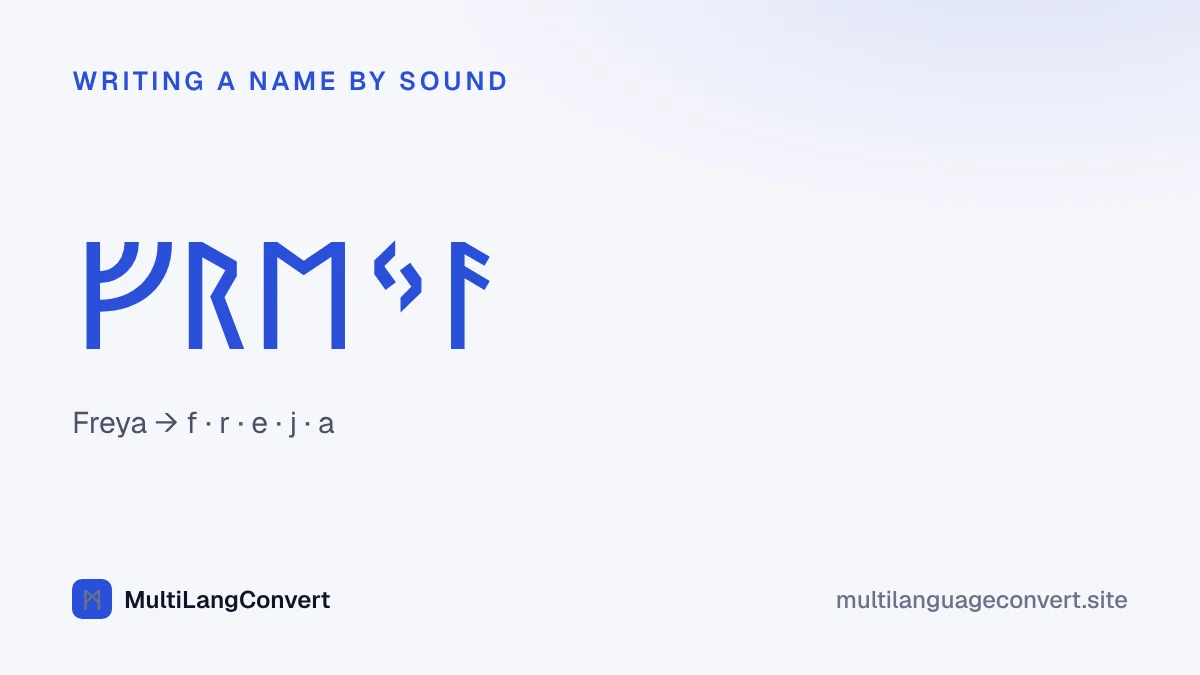
Step 1: Choose your rune row
There are three main runic alphabets, and they are not interchangeable.
- Elder Futhark (24 runes): the oldest, used about AD 150–800. It is the row most people picture when they think of runes.
- Younger Futhark (16 runes): the alphabet of the Vikings, about AD 800–1100.
- Anglo-Saxon Futhorc (28+ runes): used in England until the 11th century.
If you want a “Viking” look, the historically correct choice is the Younger Futhark. If you just want the classic look, use the Elder Futhark. Our Elder Futhark vs Younger Futhark vs Futhorc: The Differences Explained guide compares them in detail.
Step 2: Say your name and write down the sounds
Runes write sounds, not English spelling. English spelling is full of silent letters and letter pairs, so start by saying your name out loud and listing the sounds you hear.
| Name | Sounds | Elder Futhark | Why |
|---|---|---|---|
| Thomas | t-o-m-a-s | ᛏᛟᛗᚨᛊ | The th in Thomas is a plain t sound, so no ᚦ. |
| Katherine | k-a-th-e-r-i-n | ᚲᚨᚦᛖᚱᛁᚾ | Here th is a real th, so ᚦ. The final e is silent. |
| Phillip | f-i-l-i-p | ᚠᛁᛚᛁᛈ | ph is one f sound; ll is written once. |
| Jack | j-a-k | ᛃᚨᚲ | ck is one k sound. ᛃ was a y sound, the closest rune to j. |
| Grace | g-r-a-s | ᚷᚱᚨᛊ | The c sounds like s; the final e is silent. |
Our Runic Translator applies the common rules for you (th, ng, ph, ck, soft c and double letters), but it cannot hear your name. For “Thomas”, type “Tomas”; for “Grace”, type “Gras”. The runes will then match the sounds.
Step 3: Handle letters the runes don’t have
None of the rune rows has a separate letter for c, q, v, x or modern j. Carvers used the closest sound:
- c → the k-rune (ᚲ) or the s-rune (ᛊ) depending on the sound.
- q → k + w (ᚲᚹ).
- v → w (ᚹ) in the Elder Futhark; in the Younger Futhark, ᚢ also covers v.
- x → k + s (ᚲᛊ).
- j (as in John) → there is no exact match; ᛃ (a y sound) is the usual choice.
Step 4: Decide how to separate words
If your text has more than one word, choose a divider. Real inscriptions often used one dot (᛫), two dots (᛬), a small cross (᛭), or nothing at all. A space is fine for modern use; a dot looks more authentic.
Step 5: Check the result
Before you commit to a tattoo, engraving or carving, run these checks:
- Read it back. Paste the runes into the tool with the direction set to “Runes → English letters”. You should get your name’s sounds back.
- Compare with the chart. Every tool page has a full chart. Check each rune by eye, especially look-alikes such as ᚾ (n) and ᛁ (i), or ᚹ (w) and ᚦ (th).
- Check the direction. Runes are usually read left to right, though some inscriptions run right to left or snake back and forth. Do not mirror single runes by accident; a reversed rune can read as a different one.
- Get a second opinion if it is permanent. A university department of Scandinavian studies, a museum forum or an experienced runologist can confirm the spelling.
Common mistakes
Swapping letters one for one
The most common error is replacing each English letter with a rune: t-h-o-m-a-s becomes six runes, including a pointless ᚺ. No ancient carver would have spelled it that way.
Mixing rune rows
Using a Younger Futhark rune in an Elder Futhark name, or the other way round, is like mixing Greek and Cyrillic letters. The fonts and keyboards make it easy to do by accident.
Using “rune meanings” as a translation
Some websites claim a rune means “strength” or “protection” and use runes as symbols for words. That is not how runes were written. If you want a word rather than a name, find the real Old Norse or Old English word first (our Old Norse Translator and Old English Translator can help), then write that word in runes.
Trusting fonts that remap the keyboard
Some “rune fonts” simply swap the shapes of Latin letters. They look like runes on your screen, but the text underneath is still English, and the letter-for-letter mapping has the same problems as above. Our tools output real Unicode rune characters.
Example: from name to runes in each row
| Row | Bjorn | Freya |
|---|---|---|
| Elder Futhark | ᛒᛃᛟᚱᚾ | ᚠᚱᛖᛃᚨ |
| Younger Futhark (long-branch) | ᛒᛁᚬᚱᚾ | ᚠᚱᛁᛁᛅ |
| Anglo-Saxon Futhorc | ᛒᛄᚩᚱᚾ | ᚠᚱᛖᛄᚪ |
In the Younger Futhark, the j of Bjorn and the y of Freya both become ᛁ, because that alphabet wrote i, e and j with one rune.
Sources
- The Unicode Consortium, Runic code chart
- Scandinavian Runic-text Database, Uppsala University.
- R. I. Page, Runes (British Museum Press, 1987).
- Michael P. Barnes, Runes: A Handbook (Boydell, 2012).